Fell & Sell Controls and Keybinds
Every default input, plus the accessibility toggles added before and after launch.
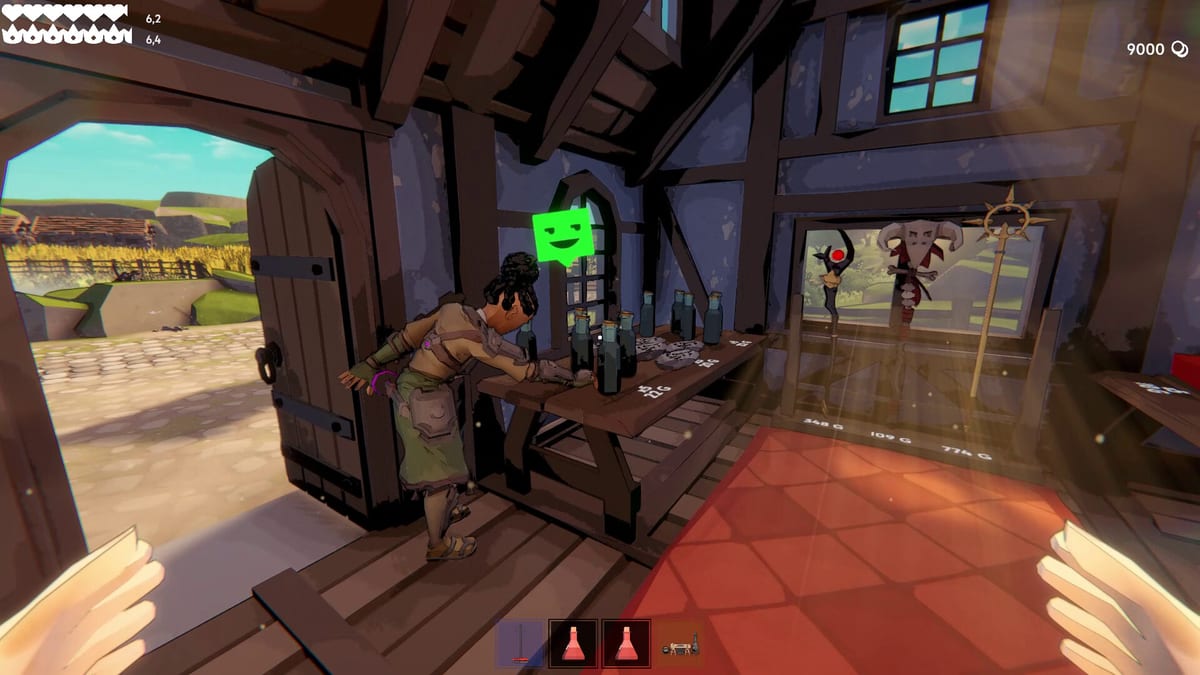
Fell & Sell is a first-person game, so your hands spend as much time on WASD and the mouse as they do on price tags. Demo Update #2 added a full keybinding menu. Demo 2.0 and 2.0.1 then changed how a few of those keys actually behave. Patch 1.0.2 on launch day widened the FOV slider. This page is the current keyboard map, not a screenshot of the July demo.
Default movement and combat
- WASD moves. Demo 2.0 lets you rebind the movement cluster, so the labels below assume the factory layout.
- Mouse look aims. Lower FOV if close-range shop work feels too wide; raise it for Darkest Dungeon corridors.
- Left mouse attacks. Hold on weapons that support a charged swing.
- Right mouse blocks with a shield or aims depending on what you have equipped. In the shop, right-click a tagged item on a table to change its price without picking it up first.
- E interacts: chests, Quest Board, customers, workstations, armor racks, and doors.
- Space dodge-rolls. Timing matters more than spam; a late roll still eats a skeleton swing.
- Shift sprints. In options you can switch sprint and crouch from hold to toggle so you are not pinning a key through a long Overgrown Dungeon floor.
- Tab no longer toggles on a tap. Demo 2.0.1 made the inventory and status panel open on hold so you do not pop the menu mid-fight.
Dash, crouch, and accessibility
Demo 2.0 added a double-tap dash on the movement keys. Flick W, A, S, or D twice to dodge without the roll bind. If that steals steps when you are restocking shelves, turn it off in settings. The same options screen holds toggle sprint and toggle crouch, which is the accessibility request the studio shipped in 2.0.1.
FOV now goes down to 40. 1.0.1 promised the floor; 1.0.2 confirmed the slider actually reaches it. Use a lower FOV if shop UI and price tags feel tiny on ultrawide, or if motion in first-person combat bothers you.
Audio sliders were cleaned up across demo patches and again in 1.0.2 so attack, drop, and dash sounds sit on the effects bus instead of music. If a hit feels silent, check that the effects slider is up, not only master volume.
Shop-only shortcuts
Pricing used to mean pick up, open a prompt, put down. Demo Update #2 lets you right-click an item already on a table and edit the tag in place. That is the single biggest quality-of-life bind for anyone running a busy counter. After a sale you still need to interact with the customer to collect coin — the game does not auto-vacuum gold off the counter.
Furniture now drops as scrolls (Demo 2.0.1). You place from the scroll rather than juggling a physical chair through a doorway. Armor on racks no longer needs a pixel-perfect drop; stand near the rack and interact. If your inventory is overweight, crafting is blocked so you cannot burn gold and mats on a recipe that then vanishes — that safeguard landed in Demo Update #2.
Saves, menus, and launch caveats
You can delete a save with the trash icon beside it. Starting a new game asks for confirmation so you do not overwrite a demo file by accident. The studio still recommends a fresh save for the full release even though demo progress can carry over.
Controller support shipped on 27 August 2026. Launch day held the pad because the first implementation broke other systems. The follow-up post, Gamepad Support + Major Fixes!, added full gamepad support, DualShock and DualSense, auto pickup, full rebinding, QuickSlot input icons, cell-gate unlocks, shop furniture that no longer vanishes, Quest Board repairs, and quieter saves. Keyboard defaults on this page still apply; pad and Deck notes live on Controller. Rebind from the same options menu rather than assuming Xbox defaults.
Reset-to-default lives in settings if you lose a key during experiments. Tutorials also have a dedicated menu after Demo 2.0, so you can replay the shop and dungeon lessons without starting a new character.
Related pages
Read Getting Started for the first-hour loop, then Combat for how block, stamina, and dual wield actually feel in a fight. Shop binds pair with How to Sell Items and the Pricing Guide. Patch history lives on Updates.
Frequently Asked Questions
Quick answers to the most common questions.
How do I open inventory without flashing Tab in a fight?
Hold Tab. Demo 2.0.1 changed the panel from tap-to-toggle to hold-to-open so accidental presses stop dumping you out of combat.
Can I change prices without picking items up?
Yes. Right-click an item that is already on a shop table. That bind arrived in Demo Update #2 and remains the fastest way to retag a whole shelf.
Does Fell & Sell support a controller yet?
Yes, as of 27 August 2026. Full controller support, DualShock, and DualSense are on the store. Keyboard binds stay on this page; pad and Steam Deck notes are on the Controller guide.
How low can I set FOV?
Down to 40. Version 1.0.2 is the build where that floor actually works. Pair it with toggle sprint if long holds strain your hands.